Summary
The Summary Page in the Admin Panel provides a comprehensive overview of bot protection statistics across all projects and for individual projects. It helps administrators monitor activity trends, analyze blocked requests, and understand rule performance over various time periods.
This page is designed to give you the necessary tools to maintain a secure environment, monitor activity trends, and optimize your bot protection setup.
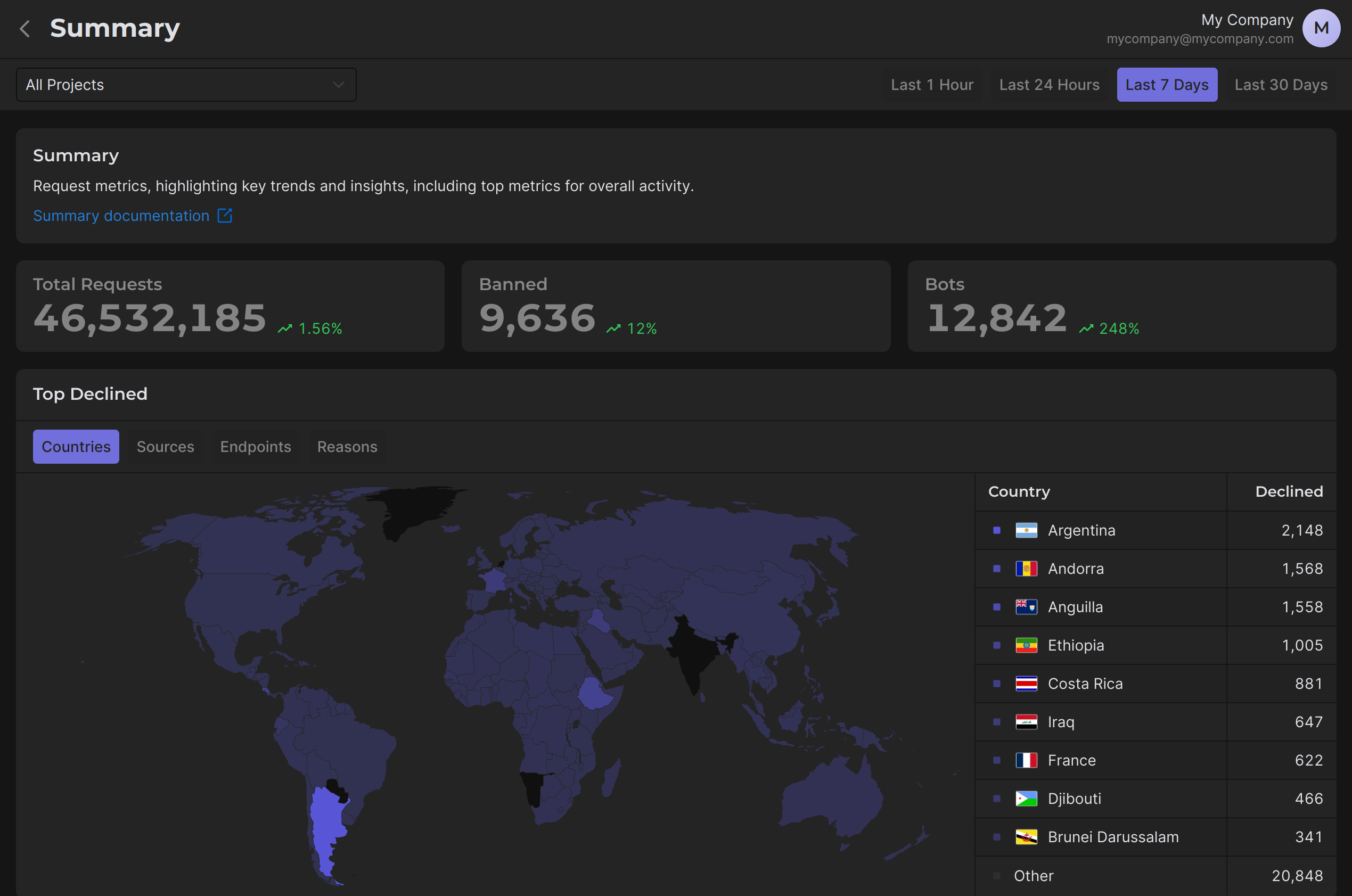
At the top of the page, you can filter and view data for the following time periods:
- Last 1 Hour
- Last 24 Hours
- Last 7 Days
- Last 30 Days
This flexibility allows you to focus on specific time frames to detect malicious activity, analyze trends, or monitor performance changes in real time.
How to Use the Summary Page
1 Step. Monitor Trends
The Overview Cards at the top of the page give you a quick summary of key metrics:
- Total Requests: Shows the total number of incoming requests during the selected time period. This provides a baseline for assessing activity levels.
- Banned: Indicates the number of requests that were blocked due to your custom rules, providing insight into the system's efficiency in filtering malicious activity.
- Bots: Displays the total number of detected bots, helping you understand the prevalence of automated malicious traffic.
- Trends: Highlights percentage changes in each metric compared to the previous period.
Use Case:
A significant upward trend in bot traffic may indicate an ongoing attack, you should pay attention to this and take the necessary action (e.g. create an appropriate custom rule).
2 Step. Analyze Declined Requests
The Top Declined section categorizes rejected requests into four key parameters, allowing you to identify specific sources of declined traffic:
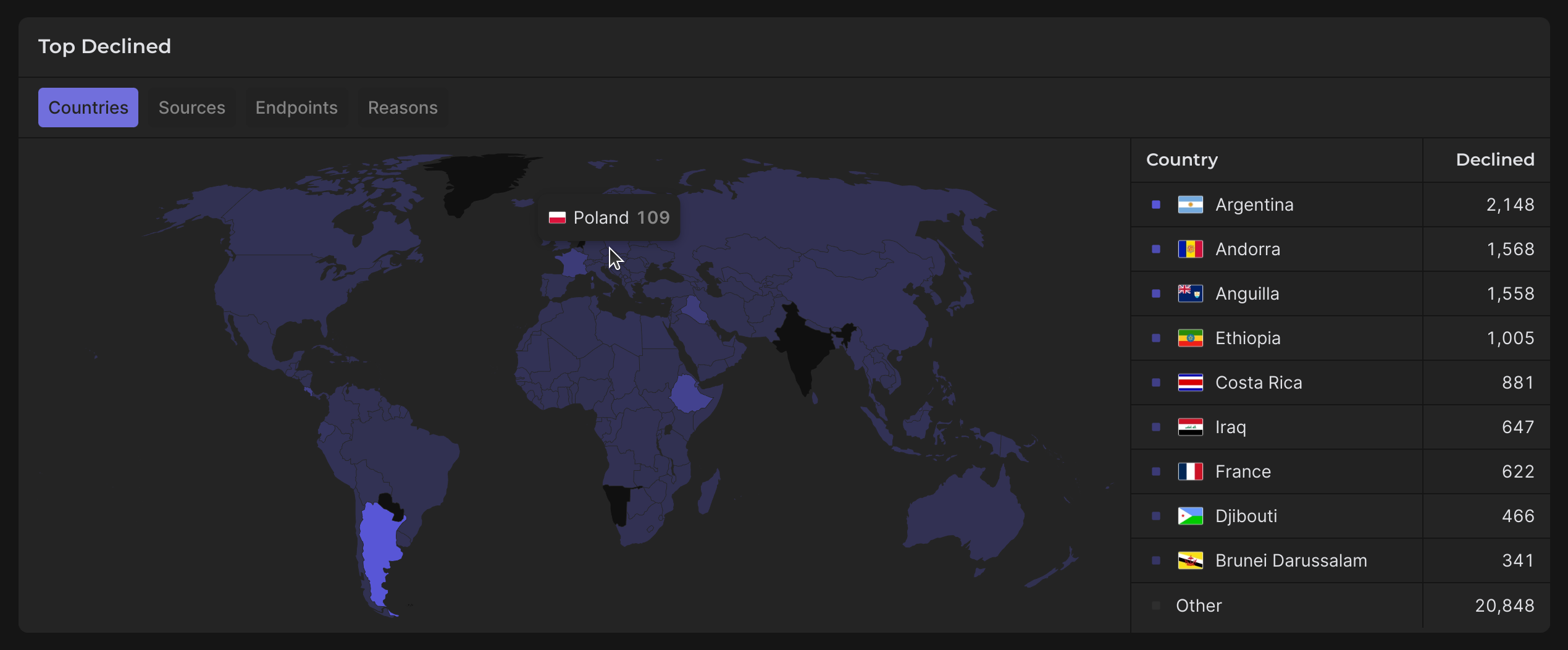
Countries
- Visualized on a world map, this provides a geographical breakdown of declined traffic.
- Use Case: If you notice a spike in declined requests from a particular country, it could suggest targeted attacks from that region.
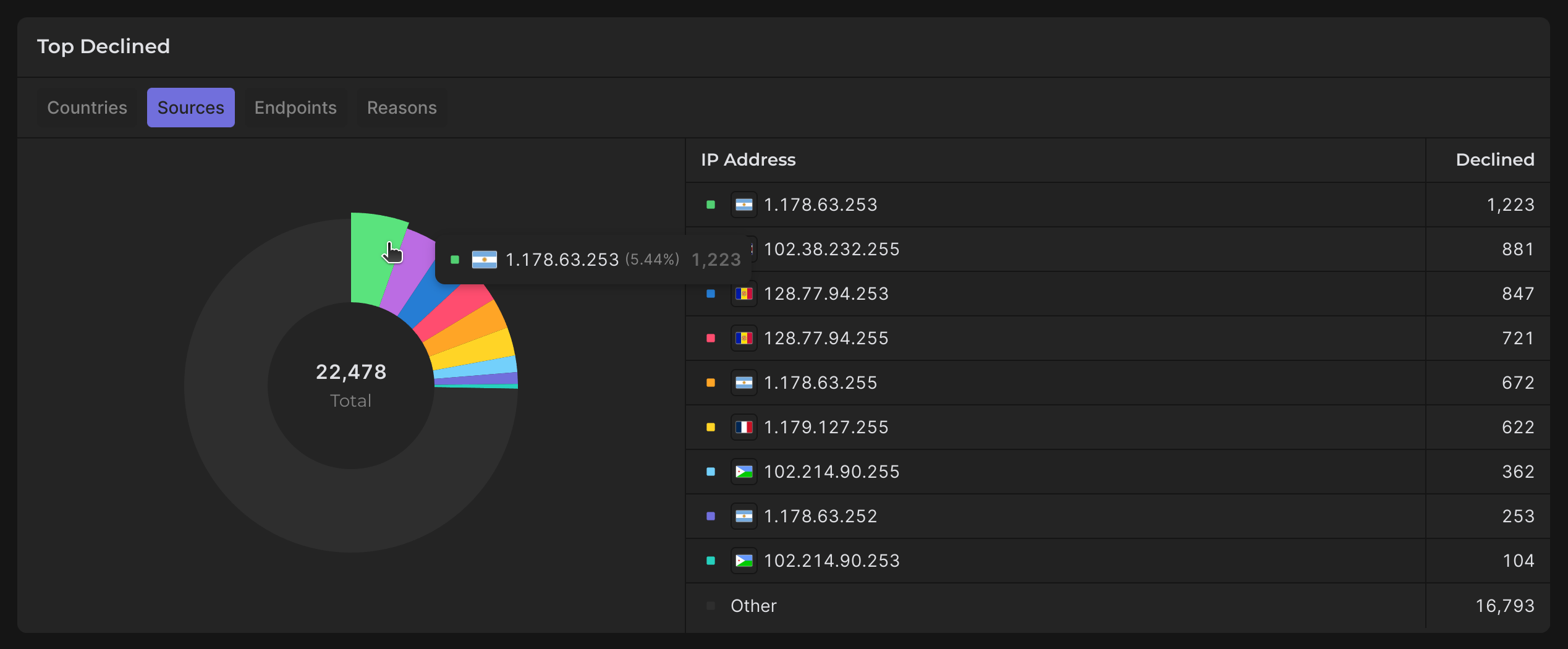
Sources
- Lists declined requests by IP Address, enabling you to pinpoint malicious sources.
- Use Case: Identify high-risk IPs for potential blacklisting or closer monitoring.
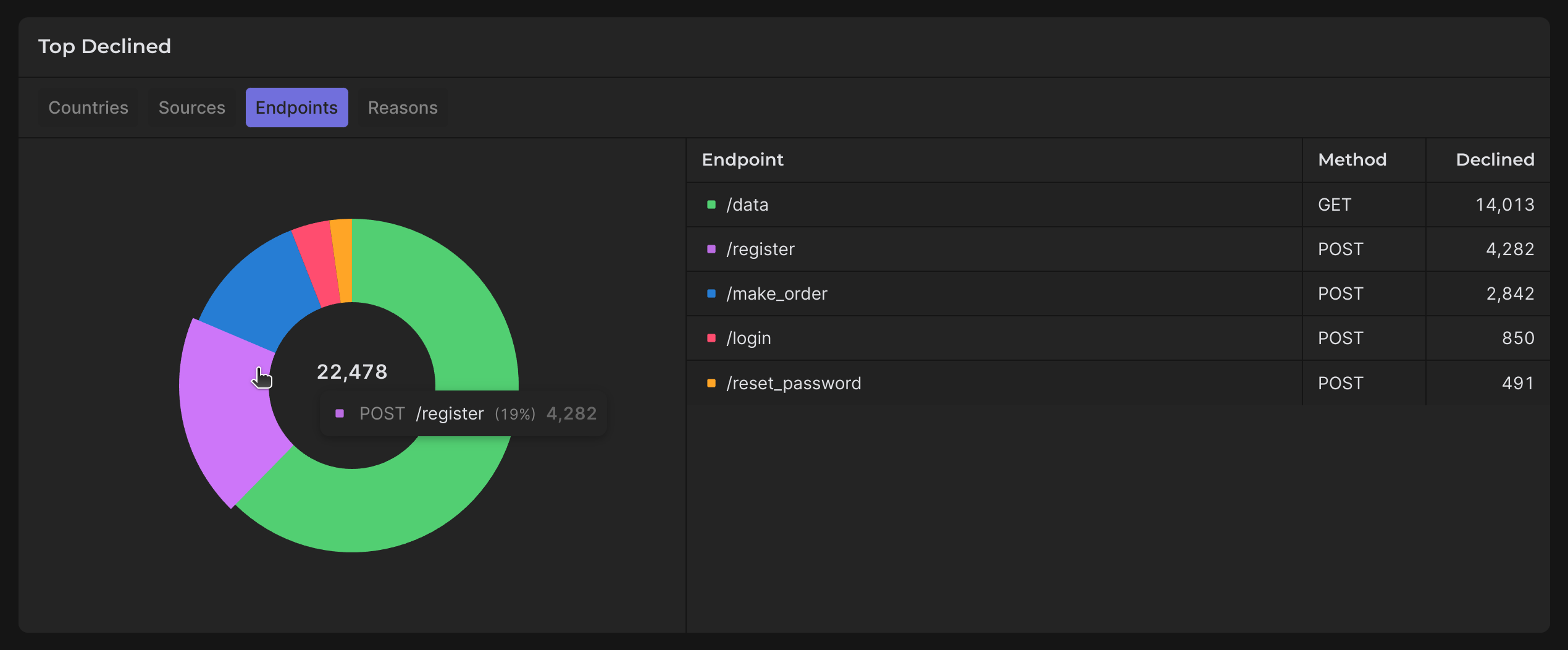
Endpoints
- Displays declined traffic by endpoint, including the associated HTTP methods.
- Use Case: If a specific endpoint shows abnormal traffic, it may indicate a vulnerability being exploited.
3 Step. Review High-Traffic Endpoints
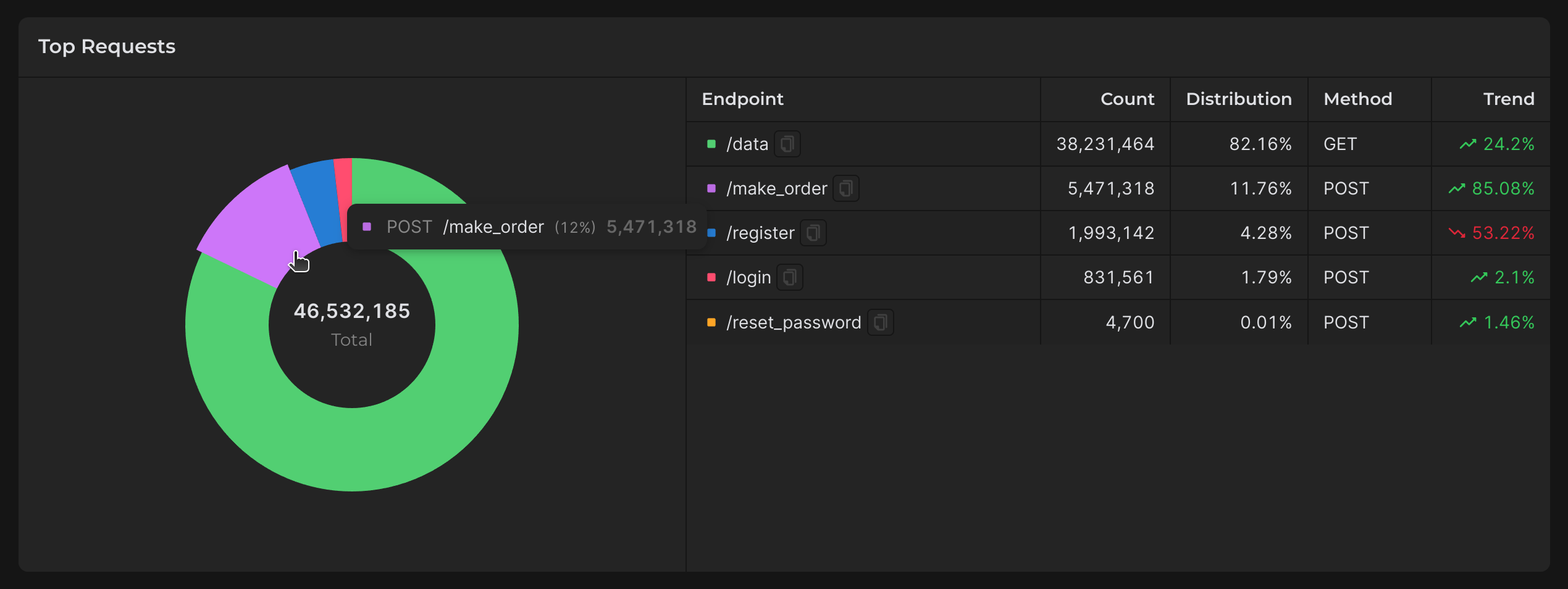
The Top Requests section helps you identify which endpoints are receiving the most traffic. The data includes:
- Endpoint: The targeted URL or API route.
- Count: Total number of requests received.
- Distribution: Percentage of total traffic attributed to this endpoint.
- Method: HTTP methods used (e.g., GET, POST).
- Trend: Indicates whether traffic to the endpoint is increasing or decreasing.
Use Case:
- Identify potential vulnerabilities: An endpoint receiving excessive traffic may need rate limiting or additional protection (add Custom Rule etc.).
- Optimize infrastructure: High-traffic endpoints may need scaling to handle load effectively.
4 Step. Evaluate Rule Performance
Declined Tab
- Lists rules that have blocked requests, along with the count of declined requests per rule.
- Use Case: Identify high-performing rules and rules that may need adjustment to avoid false positives.
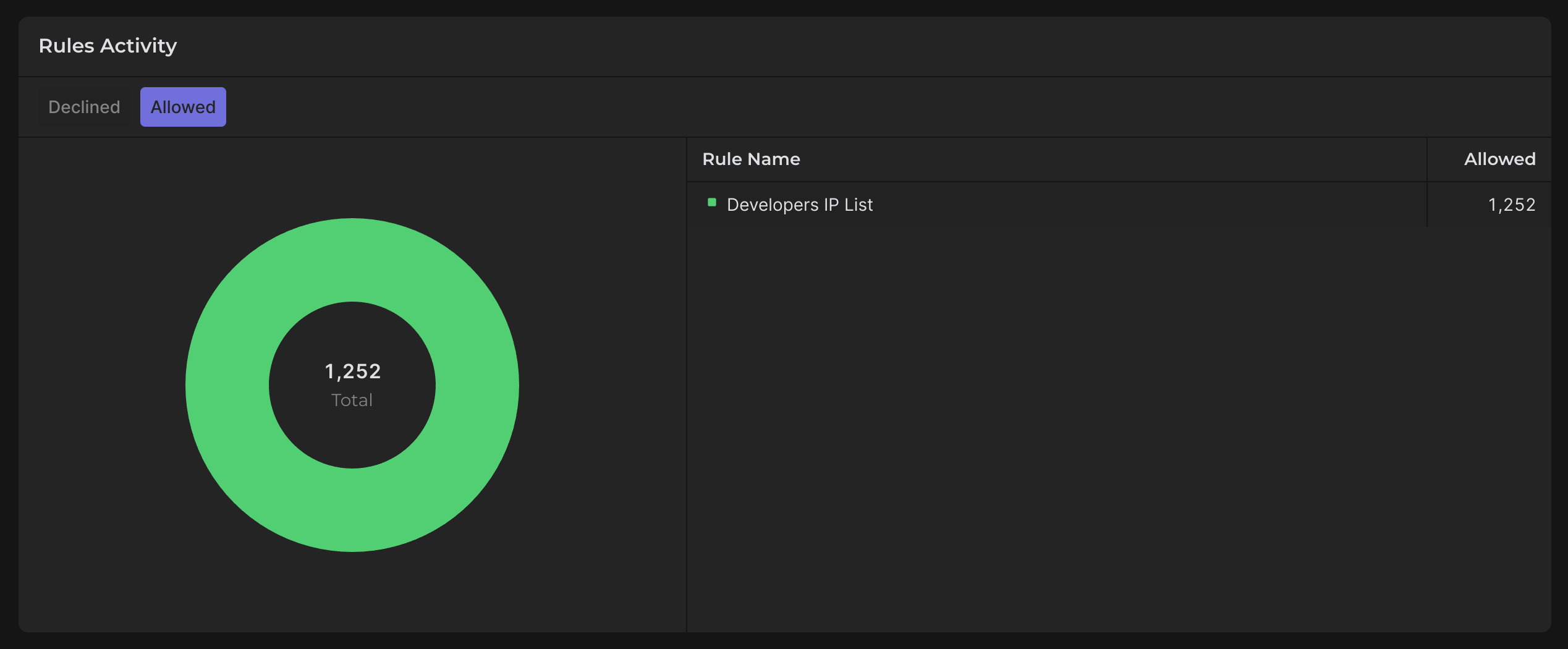
Allowed Tab
- Displays rules that have allowed requests, indicating valid traffic patterns.
- Use Case: Ensure rules are not overly restrictive and are allowing legitimate traffic.
Practical Tip:
Regularly review both tabs to balance security and usability. A rule that is too aggressive may block legitimate users, while a lenient rule may allow malicious traffic.
How to Act on the Data
- Investigate Data: If trends show unusual spikes in bot or banned traffic, use detailed sections like Top Declined and Top Requests to investigate specific causes.
- Adjust Custom Rules: Tune your custom rules based on data from the Rule Activity section to better deal with bots and malicious attacks.
- Monitor Key Endpoints: Focus on high-traffic or high-risk endpoints to prevent potential exploits.